Micro:bit Firmware
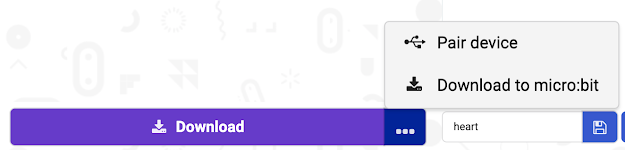
Did you know the Micro:bit requires firmware upgrades. Firmware is the operating system for the Micro:bit board. If you are getting unexplained errors when downloading programs it may be that your firmware is out of date. To check what version of firmware you are running there are 2 methods. Method 1 Plug in the Micro:bit to the USB port. Open the Block coding editor https://makecode.microbit.org/#editor Click on the three dots beside the download button. Click on Pair device When you click on Pair device a window will pop up to prompt you to pair. Click on Pair Device . Then click on the device you want to pair from the list. Click on Connect. If you get this message below, you will need to update your firmware. How to video Under "Update Firmware" it will list the minimum firmware version you will need. Click on Check you firmware version here and update if needed." This will take you to the support site published by Micro:bit on how to troubles...