Posts

Showing posts with the label Digital citizenship

Online Safety Resources

Image
  Teaching online safety is an important component of everyone being online. Below is a range of resources for teachers and school aged students K-12. Teacher Resources https://www.esafety.gov.au/educators/classroom-resources https://www.commonsense.org/education/digital-citizenship https://www.teacherspayteachers.com/Product/Activity-for-Goldilocks-A-Hastag-Cautionary-Tale-7269548 Games https://beinternetawesome.withgoogle.com/en_us/interland   https://www.commonsense.org/education/digital-passport   Books https://makecreateeducate.blogspot.com/2020/07/picture-books-to-teach-digital-safety.html https://thetweetinggalah.com/collections Fact checking sites https://www.snopes.com/   https://toolbox.google.com/factcheck/explorer/search/list:recent;hl=en Educate yourself Cybersecurity and Awareness - Free course from the University of Adelaide you will need a gmail


Picture Books to teach Digital Safety

Image
Picture books are a wonderful way to engage children of all ages.  With younger children they provide an opportunity to engage in literacy with storylines they may not have experienced or thought about. With older students they are a wonderful hook to stimulate discussion or debate.  Is it true? Is it relevant to us? What can we do to protect? prevent? or follow up? Once upon a time Online by David Bedford Using fairytale characters this book illustrates some of the hazards of being online. The Fairy Godmother teachers them how to use screen time to be productive and creators rather than users of technology. The Fabulous Friend Machine by Nick Bland Popcorn the chicken finds a friend machine (phone) and makes some wonderful new friends, who turn out be not telling the full truth. Her old (true) friends step in to save her. The internet is like a puddle by Shona Innes This book gently talks about the dangers of being online and how adults can help us navigate those dangers. The...

Tools to keep kids learning STEM concepts and skills at home

Image
To enable students to continue working at you you may need to teach them how to log into online tools at school before schools are shut down. For offline tasks you will need to prepare resources and send them home in a pack, eg: construction may require specialist materials, coloured paper, paper clips, etc. Pack up and send home.  It will be difficult to teach new content in this time as now all students will complete the tasks unsupervised. It is a very difficult time. Online Tools e-Safety Commisioner  https://www.esafety.gov.au/educators/classroom-resources Online tools and videos that could be used as stimulus for a question and answer or "design a campaign" to educate kids about online dangers https://aca.edu.au/resources/ Teacher will need to sign up (for free) with their school account and upload student names and distribute user names and passwords. I would be ideal if you do this before the school closes so students know how to use it....

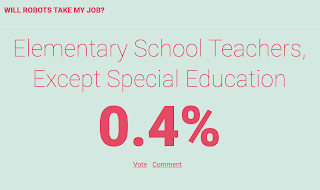
Response to Automation of teaching

Image
"Software doesn't have a day off"  Original Article If a teacher can be replaced by software they probably should be because teaching is about relationships. I don't believe robots can engage students like a quality teacher. Teachers are not glorified babysitters and it requires far more skill to be an effective teacher than technology companies and journalists will ever admit.  (This post is not going to discuss what makes a quality teacher. In every profession there are different levels of competency. We have all met good and bad doctors yet we don't lump all doctors in together with the bad ones. The same for teachers.) So many teachers have been reinventing the classroom, implementing technology, new teaching methods and using real world probably solving. Yet rarely do these stories make the news.  If you "google" teacher you are more like to get articles about misconduct than stories of achievement and success.  By replacing te...

Projects for a new paradigm - Published in Education Matters

21 st Century Learning Projects for a new paradigm Innovation Integrator at St Columba Anglican School (SCAS), Meridith Ebbs, shares some of the ground-breaking ways technology has been incorporated into the curriculum at the school. St Columba Anglican School is in it’s 14 th year and is located in Port Macquarie on the mid north coast of NSW. Four years ago the decision was made to migrate the school to the cloud and implement a voluntary bring your own device program. In the past 4 years there has been significant investment in technology and staff training. Many staff now use technology on a daily basis. Implementing technology also requires a commitment to evolving pedagogy. To assist all staff to continue to evolve their teaching methods requires continued support for staff financially and physically with training and flexible resources. Being a regional school attending professional development in the city can be costly so the school committed to employing ski...