Posts

Building teacher capacity to use Digital Technologies

Image
Building teacher capacity is difficult.  The demand for teachers to have skills in the use of Information and Communication Technologies (ICT), Design Technologies, Digital Technologies (DT) and Digital Systems is increasing. This is parallel to the demand for teachers to up-skill with future focussed pedagogies such as Project Based Learning (PBL), Superclasses and the effective use of Flexible Learning Spaces (FLS). In addition, is the debate, is it the individuals responsibility or the schools to provide learning opportunities? I believe it is a bit of both. As professionals we need to ensure our skills stay current and up-skill to meet the demands of our changing profession. I also think employers should provide opportunities during scheduled meeting time for professional learning opportunities that are in line with the vision of the school which may be different in each school context.  These demands mean we need to examine how we deliver training and how we up-ski...
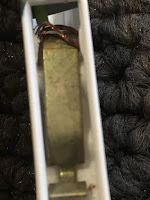
What to do with broken cables?

Image
Technology often comes with the "What do you do with broken cables?" When using Makey Makey and Microbits  you often work with cables referred to as Alligator or Crocodile clips. The metal clips on the end do break with age and after seeing a post by Colleen Graves  using clothes pegs I started experimenting with different ways to repurpose the cables. I have tried both timber and plastic pegs. This post shows plastic clothing pegs that are freely available in Australia. Cut off the broken alligator clip. Strip the end of the cable to be about 5 cm of exposed copper wire. Pull the plastic peg apart. Wrap the wire around the metal centre of the peg and reassemble the peg. Run copper tape down the metal centre of the peg and over the end of the peg that is used to clip clothes on the line. Fix the lose cable in place with non conductive tape. I have used duct tape but you could also use electrical tape. The cable below shows the completed cable. Damaged c...

Binary

Image
What is Binary? Binary is a base 2 numbering system. It uses 2 numbers 0 and 1 to count and is used by computers to transmit information. 1 digit is a bit. 8 digits is a byte. More information about Binary How does binary work? This video shows how Binary works. Need another explanation? https://www.youtube.com/watch?v=TD6lcIIOeic Curriculum links There is a requirement for all Australian schools to teach Binary from year 5-8. States not using the Australian Curriculum will have modified versions of what is required but binary is mentioned in both year 5-6 and year 7-8. If you are using a document that is based on the Australian Curriculum try searching your document for the AC codes below. In primary years primary often makes sense when taught following a base 10 lesson. Discuss the structure of the base 10 system and then introduce the binary system. Below there are resources both online and offline that can be used to teach this concept. Year...

Introducing variables with Scratch and Makey Makey

Image
It is possible to use the Makey Makey for than a keyboard that makes bananas an inedible mush. This project will be creating switches to collect data for a survey. This could be modified to encourage students to collect data using an alternate method to forms. Student can modify the project to collect data to test understanding or collect information for a survey. It could be used by teachers to test student knowledge when they leave a classroom. This is designed as a simple introduction to variables. There are other ways to make this more efficient code but the purpose of this lesson is to introduce the concept of variables. Target Group Year 4-6. Students have simple coding experience with block coding and ready to progress to the next step. Concepts covered: Introductory coding Variables Digital Systems Variables What is variable?  A variable is used i n a computer program, this is a named memory location where values are stored.  A variable m...

Using Microbits in Maths

Image
Digital systems and coding have applications across all key learning areas. Over the last 2 weeks my year 5 have been investigating data. One of the activities was to roll the dice 36 times and record and graph the outcome. We then repeated the activity with an electronic dice we created using a microbit . We compared the results and found there was no significant difference. The next step is to compile the data in a spread sheet and compare the outcome with a larger dataset. Prior to completing the task we watch Sheldon's Friendship Algorithm from the Big Bang. We then devised a decision chart in plain English on what we wanted the dice to do. One student said we needed an "If statement". We expanded this idea to be an "if then else" statement. We discussed the number of times we would need to include an else if component. This was then a guided discussion as a group we broke the problem into smaller parts. Here is the code for cre...

Microbits and design and production

Image
How do you use digital technologies in projects that are relevant and meaningful? This is an introductory project for first time users. The amount of curriculum content required to be taught does require a degree of integration to ensure we have time to cover all outcomes. When integrating content it is important to ensure you map all outcomes from all key learning areas to the unit of work. Australian Curriculum has Design and Technology and Digital Technologies . NSW in 2019 will introduce a new K-6 Science and Technology and 7-8 Tech Mandatory . This showcases a method of introducing microbits to a group of year 5 students that have minimal coding experience. This project is below grade level but a start on where they will need to be by the end of year 6. Australian Curriculum Design, modify and follow simple algorithms involving sequences of steps, branching, and iteration (repetition) ( ACTDIP019 ) Implement digital solutions as simple visual programs involving branc...

Literacy and Digital Technology

Image
What does Possum Magic by Mem Fox have to do with computational thinking and digital technologies? Possum Magic by Mem Fox is a story about a magic grandma that makes her grandson Hush become invisible. To solve the problem they travel Australia looking for ways to make Hush visible again. Luckily the problem is solved for Hush as he consumes classically Australian foods. Strangely they need to travel to most of the capital cities to do it.  Getting children to visualise a journey and translate what they hear into a concrete experience requires computational thinking. 3 activities to integrate digital technologies in a literacy lesson. K-2 Beebot Activity Create algorithms to follow the trail of the food that Hush eats. Educational content Algorithms Procedural texts Recounts Integrating digital systems Recounts Resources Beebots or bluebots Clear mat  or cardboard ruled up with 15min grid. Pictures  of the foods consumed by H...